You signed the Jade Bridge Platform Agreement at the end of signup by typing your full name. The platform keeps your name, the time you signed and a fingerprint of the exact text, so a later version can never be mistaken for the one you agreed to. This chapter is the plain-English short form. Where it and the agreement differ, the agreement counts.
What is yours
Your data is yours. That is everything you, your people, your suppliers and your customers put into the store, and everything the store records about your business: products, prices, orders, customer and supplier records, messages, images, documents and settings. What your employees learn about your business in particular is your data too.
- It stays in the region you chose at signup. It is not moved to another region without your written instruction.
- It is never shared with another store. Each store's employees learn from that store's corrections only.
- It goes to outside services only as far as running your store needs: the cloud provider, and the payment, email, shipping, search and model providers your store is connected to. Otherwise only where the law requires.
Your accounts are yours. The payment providers, carriers, email service and any model provider you connect run on your own accounts, under their terms and their charges. Keeping their keys current is yours; Steve, integrations, does the work when you hand him the keys.
Your name is yours. What your employees send to customers, suppliers and anyone else goes out in your store's name. You decide through the rules what they may say and do, and you can override, correct or stop any of them at any time from the admin.
What is ours
The platform belongs to Jade Bridge Limited, a Hong Kong company. That covers the software, the storefront, the admin, the checkout, the supplier portal, the AI employees and everything that makes them what they are (their roles, rules, prompts, workflows and the way they learn), the designs and templates, and this guide. Improvements made while serving any store, including what the employees learn about running stores in general, are the platform's and reach every store.
You hold a licence to use the platform through your store, for your own business, for as long as the agreement runs. You may not copy, resell or take the platform apart, or use it to build a competing product. You may say your store runs on Jade Bridge.
Where your store lives
Your store runs in its own isolated cloud environment, called a cell, in the region you chose. The cloud account belongs to Jade Bridge. Inside it, each store has its own cell, with its own databases, keys and sign-in, and no other store can reach it. Nothing in your cell is shared with another store. The platform moves stores to each new release in turn, and tells you about changes that affect how you work.
The platform keeps your cell running, backed up and patched. Where it can, it schedules maintenance outside your main trading hours and tells you in advance.
What the platform can see
On its own side, the platform keeps:
- your company, address and billing contact from signup, and your signed agreement;
- your shop's people on the platform, its region, plan size, release and domain;
- daily usage per employee and model (calls, errors and token counts, never the words) and your cell's cloud cost, to work out your bill;
- the invoices it sends you and the payments you make;
- the problem reports and requests your employees carry to it, with the page, the release and who sent them;
- a record of connections made through your platform sign-in (Figma, Meta): who connected and when. No token is kept.
- your store's own Google Ads email (a Google service account the platform made for your store) and which Google Ads account it reads. The access lives in your Google Ads account: removing the email there ends it.
Your orders, customers, products, messages and your own provider keys stay in your cell. For a model provider on your own account, the platform records only that the key exists and where your store keeps it.
The platform handles what is inside your cell only as far as providing the service needs: keeping it running, secure and backed up, and letting your employees do their work. It keeps your data confidential, and access to your cell is controlled and logged.
Personal data
For personal data about your customers, suppliers and staff, you are the controller (the data user) and the platform processes it on your behalf, following the agreement and your store's settings. The platform complies with Hong Kong's Personal Data (Privacy) Ordinance. Where the GDPR or UK GDPR applies, ask for the Data Processing Addendum; it becomes part of the agreement when signed. A list of sub-processors is available on request. If a breach affects your data, you are told without undue delay and within 72 hours.
Inside the store, an employee sees only what the task needs. Katie, customer support, answers from masked order data: never a supplier's name, a cost or more of a card or an address than the answer needs.
Taking your data out
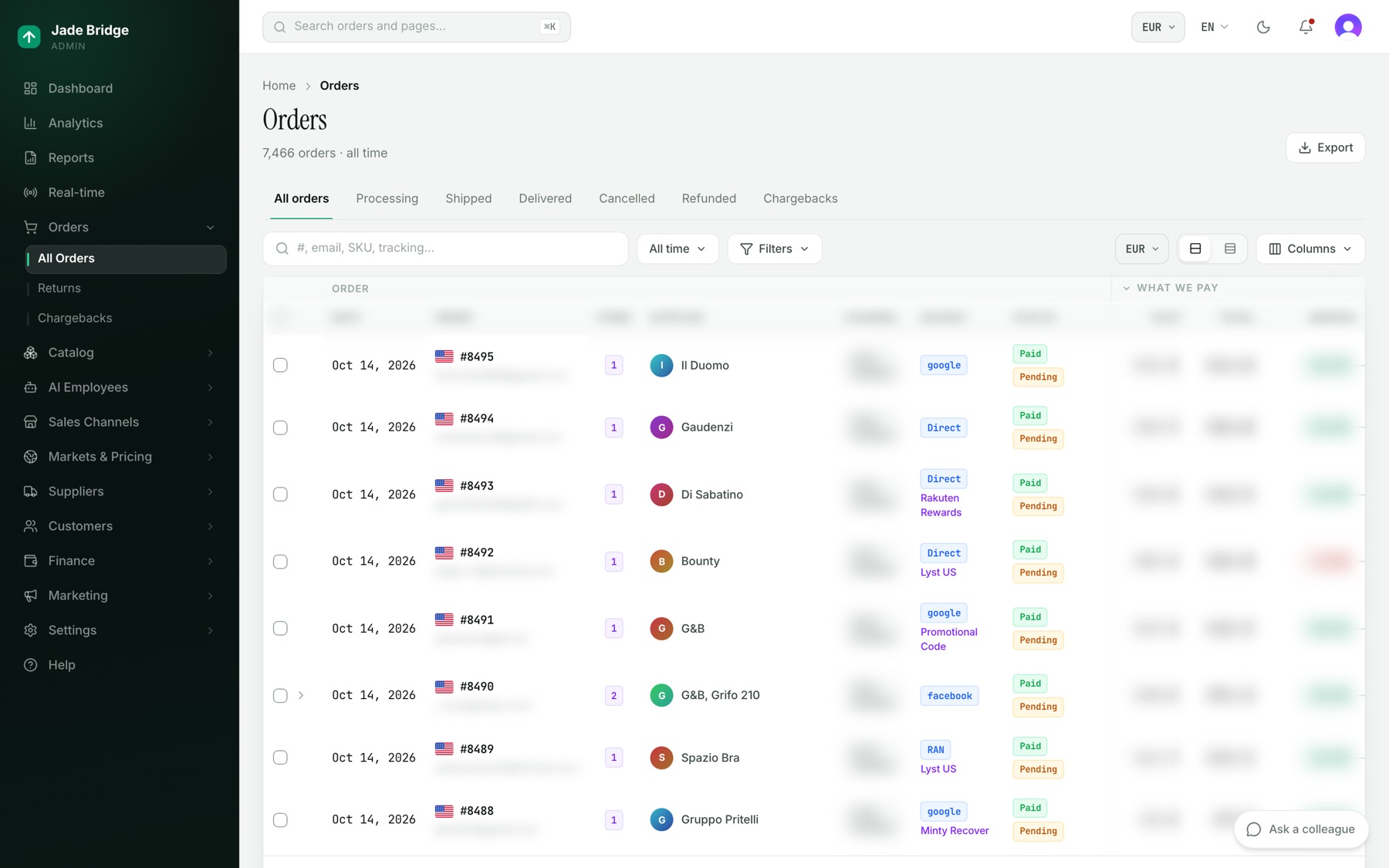
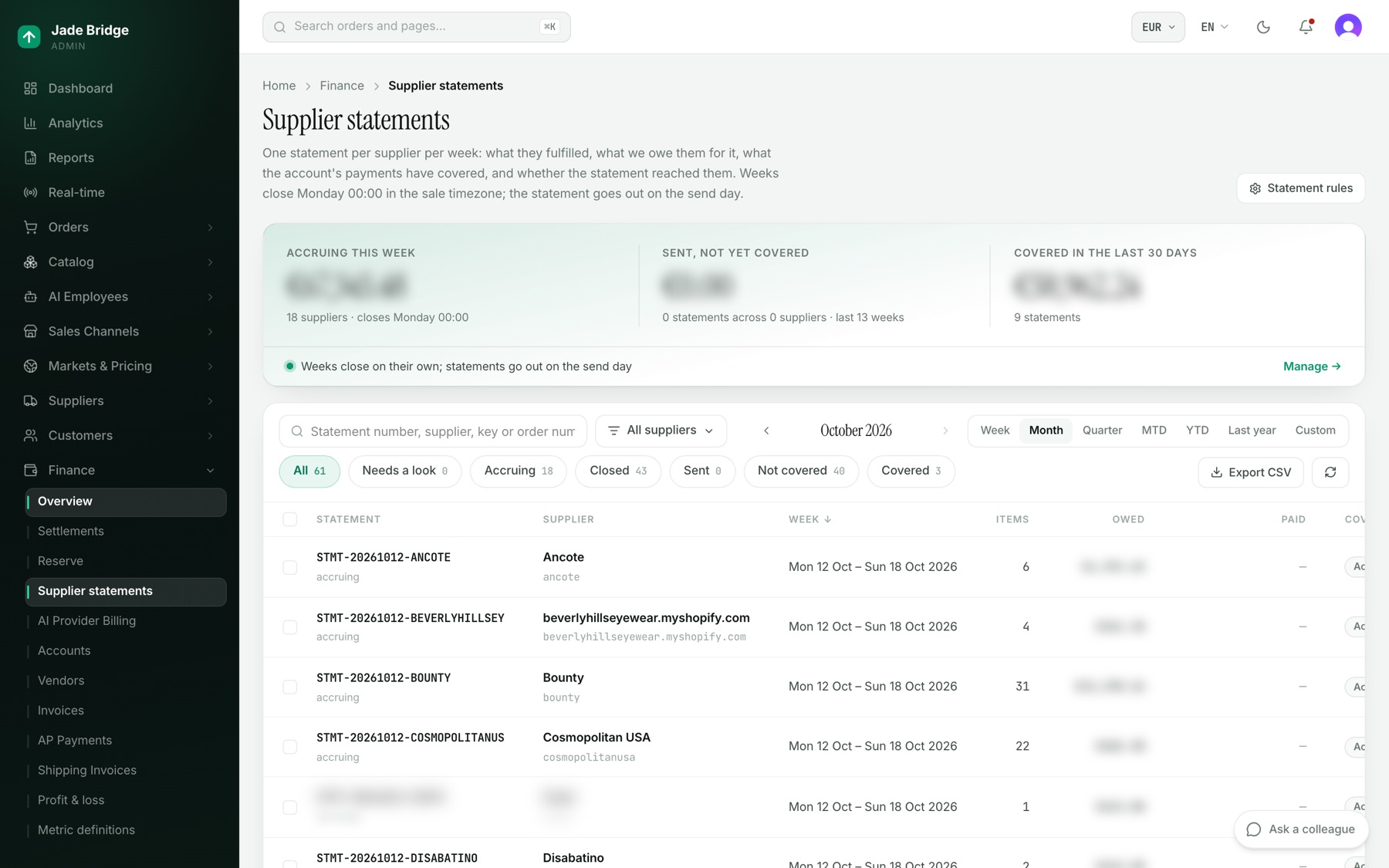
The agreement lets you export your data from the admin at any time. There is no single button that exports the whole store; each page exports its own records:
- Orders → All Orders: Export saves every order that matches your filters, not only the page on screen.
- Catalog → Products: Export saves every product that matches your filters.
- Finance → Supplier statements: Export CSV, and Statement PDF on each statement.
- Finance → Profit & loss: Excel and CSV.
- Marketing → Ad spend: Export saves the channels table for the chosen period.
- Customers → Waiting list: Export CSV.
Leaving
- Give notice in writing. Either side may end the agreement on 30 days' notice, for any reason. Notices to the platform go to legal@jadebridgeltd.com.
- Keep trading until the end date; fees run to that date.
- Export what you need. For 30 days after the end date you can still export, and the platform helps you do it.
- Point your domain elsewhere. Your domain and your provider accounts were always yours.
After those 30 days the platform deletes your data and removes your cell. Copies in backups are deleted in the ordinary course within a further 90 days. Records the law requires are kept.
Either side may also end the agreement at once for a serious breach not put right within 14 days of being told, or if the other becomes insolvent or stops trading.
Suspension
The platform may suspend a store that breaks the rules on lawful trade, puts other stores at risk, or has fees more than 30 days overdue after a reminder. You are told why, the suspension is limited to the cause, and the store is restored when the cause is removed.
Changes to the agreement
A material change comes with at least 30 days' written notice. If you do not accept it, you may end the agreement before it applies. The version you signed stays on your account.