Who does what
Each employee owns a part of the business and acts when something happens in it: an order lands, a feed changes, a message arrives. They ask each other first; when two disagree, Vera rules; a decision that is yours comes to you.
- Amy, the Taxonomist. Where every product sits: the categories and product types, and the attributes each category defines, such as pattern, neckline and materials. She also keeps the site's menus true: every menu item points at a real collection, and every link works.
- Aileen, the Merchandiser. What customers read: brands, collections, colours, gender, titles and descriptions. She rewrites copy from the maker's official data and translates everything typed in English into your store's other languages, including site builder copy, menu labels, sale campaigns and the footer pages.
- Igor, the Data Steward. Your store's data: the live database and the lake of ledger records it is copied to, and the proof that the two agree.
- Kat, the Supply Chain Manager. Supplier feeds, stock and prices in; supplier orders out, with dispatch, tracking, reroutes and delivery. She sets which carrier each supplier ships on and what the customer is quoted at checkout. A missing connection detail she hands to Marshall.
- Marshall, the Onboarding Manager. Each supplier from first contact to live, and the people at each supplier. He contacts the supplier, enters missing credentials himself at Suppliers → Directory → the supplier → Connection, and says when he will chase again.
- Suejean, the Channel Ops Manager. Publishing to your sales channels. Nothing sits on a channel without a price; products come off when they become ineligible and go back when they qualify; publish errors are hers.
- Emi, the Site Merchandiser. The storefront: pages, menus, the home page and flash sales from start to finish. Each day she proposes the day's sales for the team to approve, change or cancel. She writes the footer pages in English and never invents a policy fact; a policy page goes live with a review request to you.
- Yuka, the Executive Assistant. One person's assistant, shown with a lock and "private". She reads that person's inbox without ever sending as them, answers meeting requests from their real calendar, and hands bills to Tom. Her pages are visible only to the person she works for.
- Tom, the Accounts Payable Clerk. Every bill, invoice and receipt into the ledger, the vendor list kept clean, what is owed and overdue. He prepares payments; a person approves each live run under Waiting on you while "Live payments need approval" on his rule stays on (it ships on), and he never approves his own.
- Katie, the Customer Support Agent. The only employee who speaks to shoppers: the storefront chat, under a persona name of her own, the support email you forward to her mailbox, and every customer message in the customer's language. She offers discounts within caps you set. A refund or return never resolves in chat; she raises it.
- Andrew, the Reporting Analyst. The numbers and what they mean. He keeps one definition per metric, changed only with your approval, writes the morning, weekly and monthly briefs, and explains what moved.
- Jonathan, the Returns Desk. Every return from request to refund, by your settings at Orders → Returns → Settings. He refunds only when returns are switched on, only up to your limit, and only once; above it he asks Vera.
- Steve, the Integrations Manager. Everything your store is connected to under Settings → Integrations: payments, carriers, mail, ads, model providers. He configures, tests and chases each one. He also carries your reports of platform problems.
- Marian Lee, the Marketing Manager. Paid media: Google Ads, Meta, affiliates and email, on one ledger. She recommends changes when a signal fires; how far she may act alone is a dial you set on Marketing → Marketing desk.
- Ashley, the Pricing Analyst. Margin. She sweeps the catalogue for prices that lose money or leave it on the table, fixes a price under cost or under your floor herself, and holds raises for a rule that allows them.
- Vera, the Supervisor. Rules on what an employee cannot decide alone and settles disagreements. She is the last stop before you.
The roster
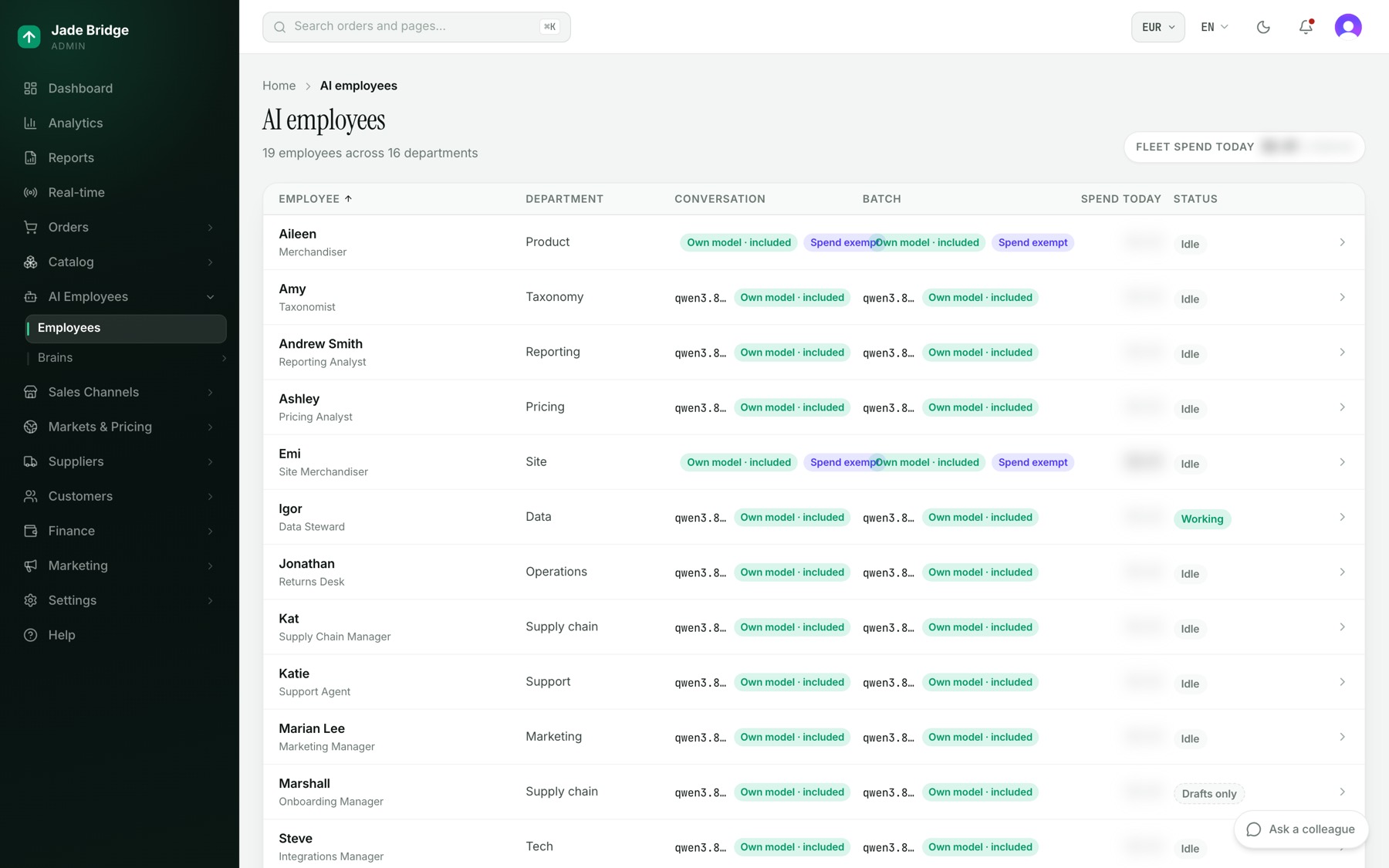
AI Employees → Employees lists everyone, alphabetically. The columns are Employee (first name and role), Department, Conversation (the model they talk and decide with), Batch (the cheaper model for bulk work, if any), Spend today, and Status. Status reads Working, Idle, Down, Suspended by design, Dry run or Drafts only. "Fleet spend today" at the top right is measured against the daily ceiling. A row opens that employee's page.
An employee's page
The page has no tabs. Its heading gives the role, the department, the status and when they last checked in. The buttons beside it are Mailbox (Tom, Yuka, Marshall), Desk (employees with a working page of their own), What they know, and Settings.
Four cards run across the top:
- Waiting on you. How many questions only you can answer, and how old the oldest is. It turns amber when there are any and opens Issues for this employee.
- Standing work or Last run. Their own backlog count, or how their last pass went.
- Spend today. With the model they think with.
- What they know. How many lessons they have learned from corrections.
Below, the Waiting on you list shows each question in full with a "needs you" pill; "Read all" expands a long one, and "Close…" sits under it. To close one, write why and press "Close & teach"; the reason becomes a lesson on their record. On the right are "How they are set right now", "What they have been doing" (or "Their rhythm" for a desk that keeps no diary) and "What they own".
Desks
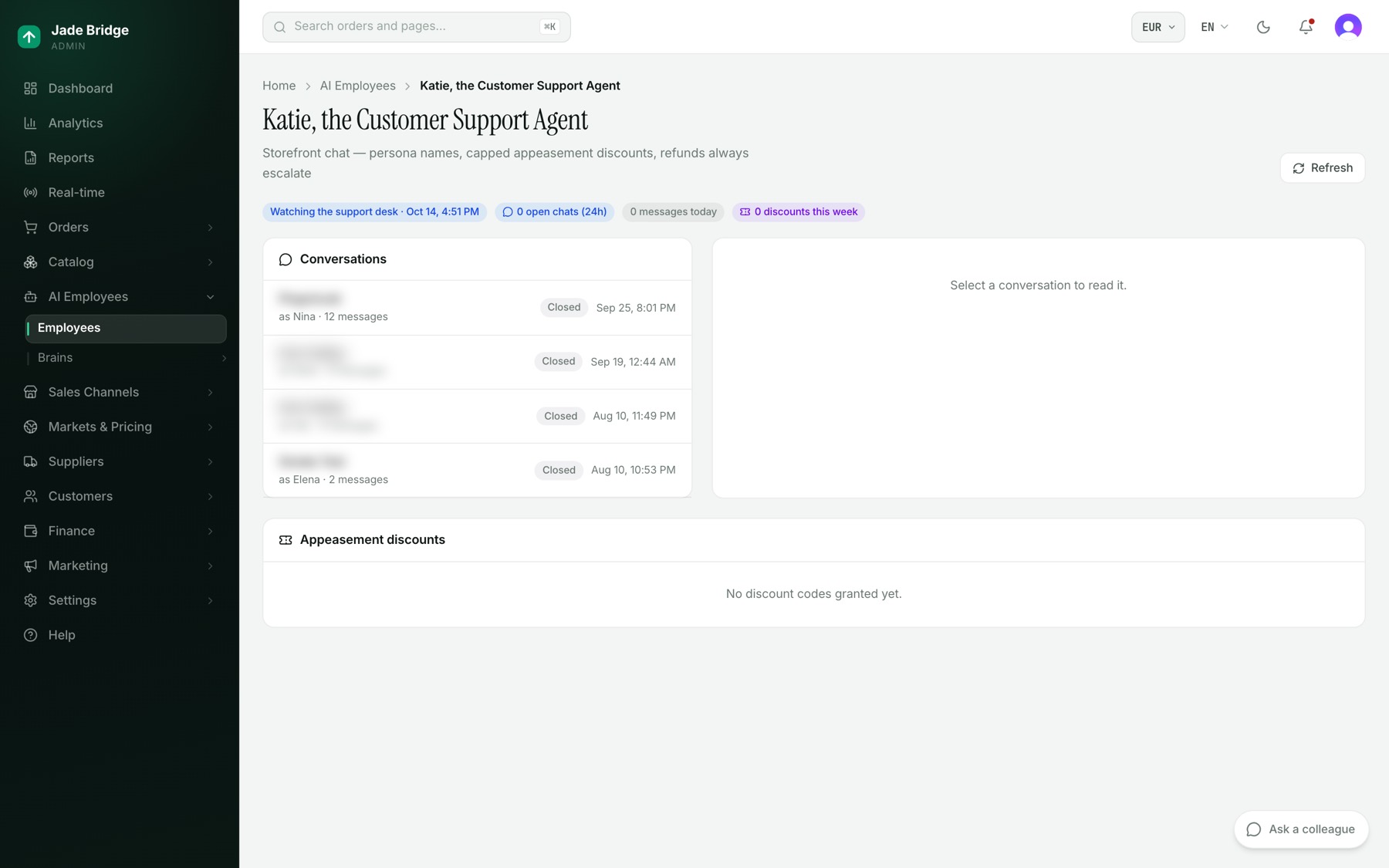
Some employees have a working page, reached from Desk. Katie's shows her state, open chats in the last day, messages today, discounts this week and open cases. "Open cases (refunds & returns)" lists what she raised, each with Dismiss. Click a conversation to read the transcript beside it. "Appeasement discounts" lists every code she granted, with the customer, the percentage and her reason.
Vera's desk has "Adjudicate now" and her "Recent decisions".
Issues
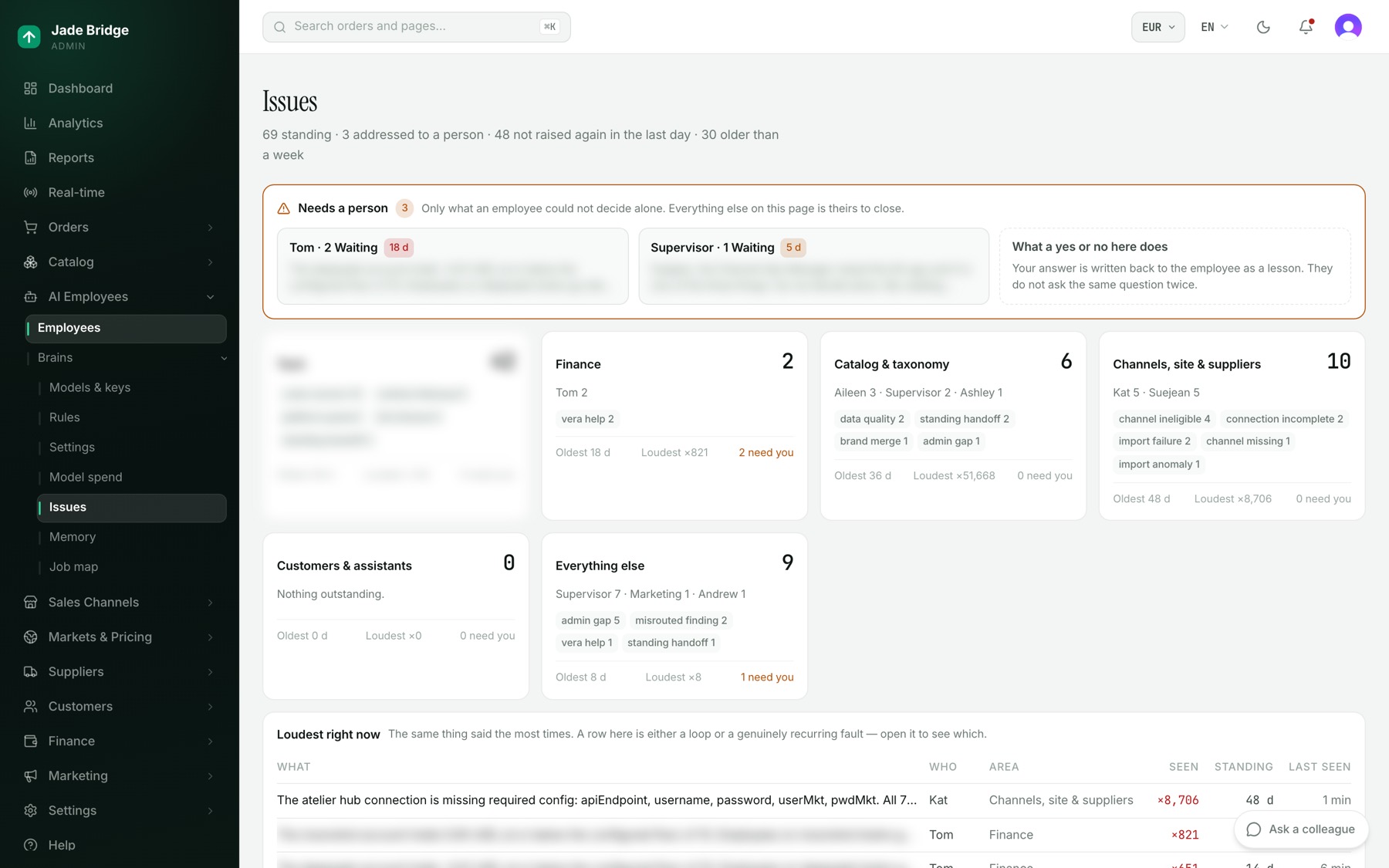
AI Employees → Brains → Issues is everything the employees have raised. Only the amber "Needs a person" band asks anything of you; below it the rest is grouped by area. Talking to them covers how to answer.
Job map
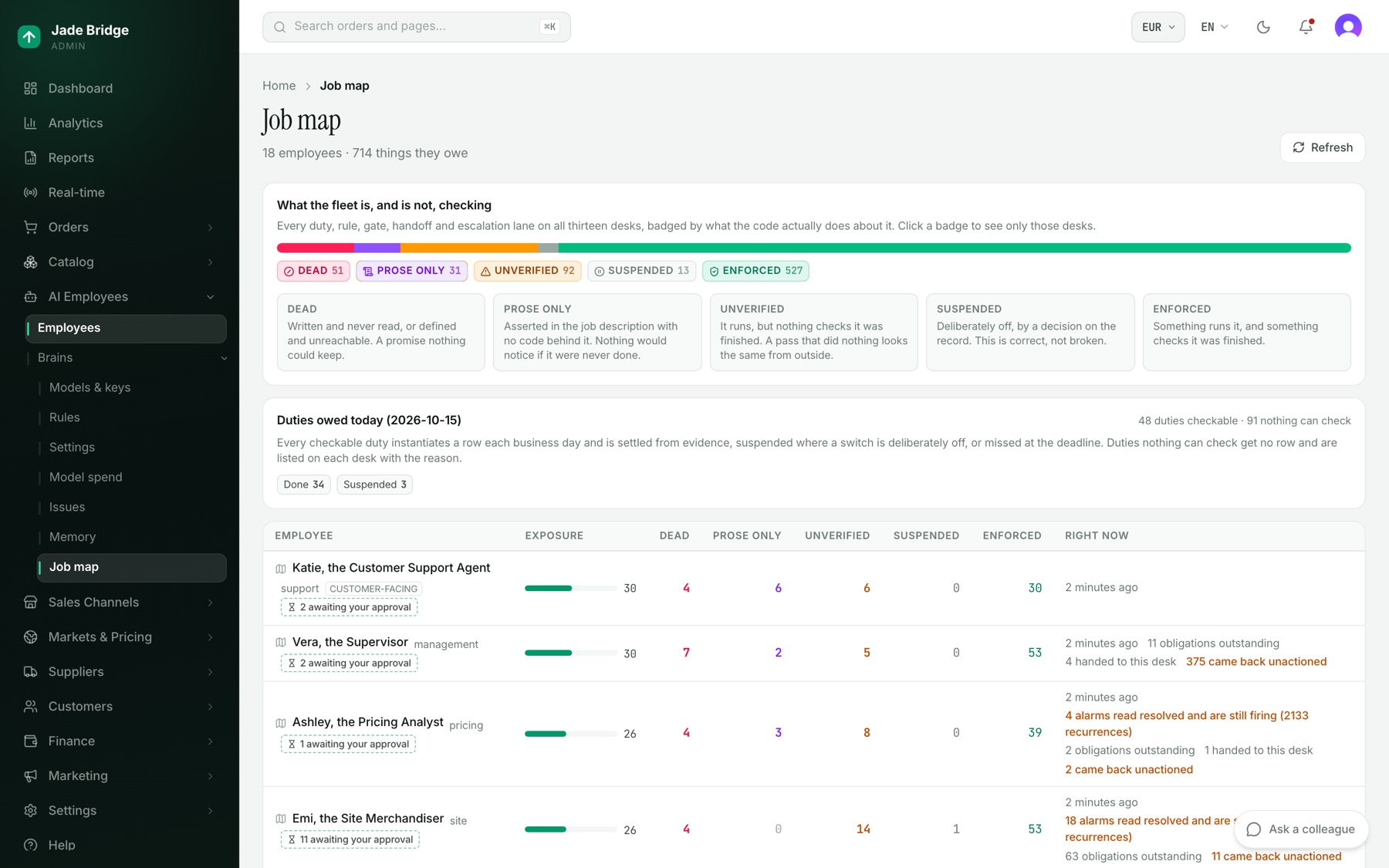
AI Employees → Brains → Job map lists every desk with what it owes: duties, rules, gates, handoffs and escalation lanes. Each is marked Enforced, Unverified, Prose only, Dead or Suspended, by what actually checks it. Click a badge to filter; click an employee for their map and "What I owe today". "awaiting your approval" marks rules an employee has proposed for themselves; none is in force until you decide. The page is read-only.
Memory and what they know
What they know, from an employee's page, has two halves: "Lessons from corrections" (what they decided, what was right, and who said so) and "Beliefs from experience". "Forget this lesson" removes one that should never have been learned.
AI Employees → Brains → Memory shows, per employee, what they believe, what they no longer believe, what they have learned about themselves, and their diary.
- Choose the employee.
- Press "Teach something", write one sentence, and press "Teach it".
Saying something they already believe makes it stronger; saying the opposite retires the old belief.
Spend and settings
AI Employees → Brains → Model spend matters only when some of your employees use paid models from outside providers. The model that comes with your store is included: it costs nothing extra, and the ceilings never hold it back. For paid models, the page shows what they cost today against two ceilings. Past the soft ceiling, expensive models give way to the cheaper stand-ins you choose; at the hard stop, paid calls are refused until tomorrow and the work goes back to the store's own model. Below are today's spend by model and by job, the ceilings, the stand-ins and every model's price.
Each employee's Settings page holds their model, task routing and fine-tuning settings; AI Employees → Brains → Settings holds those that apply to everyone. Models & keys is covered in the Models chapter.